Home > Data Acquisition and Control > Wireless > GSM Alarm and Control Units
Digital Inputs: 4Digital Outputs: 2
Availability:
9 in stock, immediate despatch
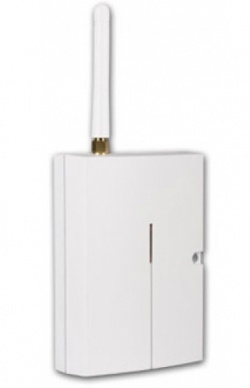
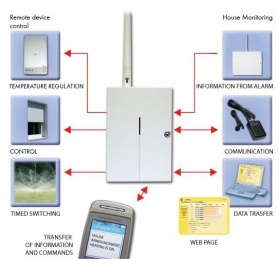
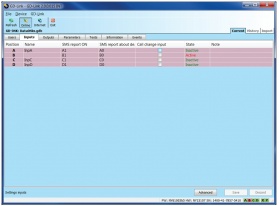
The GD-04K GSM contoller is a low cost solution to Remote Control and Monitoring via your mobile phone. It has 2 relay outputs and 4 contact closure inputs. Outputs can be set/reset or pulsed with time periods from 1 second to 10 hours by text message or phone call. Inputs can send alert text messages and can make a phone call. Up to 100 authorized numbers can be set for control and reporting. The GD-04K can also be locally set via USB using setting software GD-Link 2.0 or remotely via settings website. Backed-up operation in the case of a power supply failure (for up to 24 hours) is ensured through the connection of the GD-04A backup module (sold separately).
Programming
USB
Use the GD-Link software
The GD-04K can also be programmed using the GD-Link software remotely using a GPRS connection over the internet.
Web
You can program the GD-04K using a simple web interface. Fill in the web form, and the settings are automatically sent to the GD-04K. This service is free.
Go To Programming Web Page >>
Text Message
You can send configuration text messages to program
Downloads
User Manual >>
Programming Software >>
GD-04A DAVID Battery Backup£30.00
SD283ST - Wired Smoke and Heat Detector with Siren£41.00
LD12 - Water/Flood Detector£21.00
TSV100 - Mains On/Off Detector£36.00
Easy to use. Simple programming. Good kit.
Was this helpful to you? Yes / No
This review has not been appraised.