Home Page

Contact Us

My Basket

Checkout

DAQFactory - DAQ & SCADA Software


Description

 
DaqFactory is a new software package deisgned for scientists and engineers who need a low-cost but highly capable data acquisition/control/SCADA/HMI package. It can acquire data, control outputs, has user defined pages compete with a symbol library, has alarm and PID control functions and has in-built data analysis capabilities.

Features

 
DAQFactory is the complete data acquisition, process control, and data analysis solution. With DAQFactory you can take data at precise time intervals, store you data to disk, broadcast it over a network, display it on your own custom designed screen, automate your process, and analyze your data.

DAQFactory was designed to be easy to use. There is no programming required to create a powerful system. Screens are created by simply dropping components onto the screen and using simple dialog boxes or tables to change their parameters. There is no wiring, and no coding required. Data analysis is as simple as typing in your formulas, or using our handy dialog boxes. All data is stored with its time stamp, so keeping track of time is easy too.

DAQFactory data acquisition, process control and data analysis software provides all the software tools you need to communicate with a wide variety of data acquisition devices, from Serial RS232 and MODBUS devices to our Smart A/D range and Digital and Analogue I/O boards, the LabJack USB device and USB Digital I/O units and our eDAM remote terminal units.


Download Trial (12.3M) >>

Prices and Ordering >>

  • Low cost data acquisition, control, analysis, HMI and softlogic software package

  • Flexible Data Acquisition, read different channels at different log intervals
  • Continuous or conditional data logging.
  • Automation. Create control sequences to automate your experiment or test rig
  • PID control loops with autotune
  • Built-in alarms
  • Full statistical analysis maths capabilities in real time
  • Transparent network connectivity, across the room or around the world.
  • Unlimited user definable screens you can create on the fly and even view from a browser.
  • Powerful data visualization. Trend graphs with great features never seen before in HMI packages.
  • Built-in Industrial Image Library
  • Extensive data analysis features. No need for a separate package.
  • All in one easy to use, but very powerful and flexible package.
  • No need to be a programmer—spread-sheet like configuration
  • Drives for a wide variety of daq cards, serial I/O devices, MODBUS devices and PLC's


Taking and Logging Data


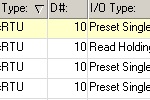
Taking and logging data is as simple as adding channels to read your inputs and set your outputs. This is done in the channel table or the channel view:

Simply give the channel a name, provide the necessary device specific information, and if it is an input channel, enter in how often you would like your data taken. You will use the channel name to reference the channel throughout the rest of DAQFactory. There's no need to try and remember the details of the channel

Once you are acquiring data, you can create logging or export sets to log your data. You can log to both ASCII and binary files, or to an ODBC compliant database. The ASCII format is universal allowing you to import your data into your favorite analysis software such as Excel. Create as many logging sets as you need to log different subsets of your data in different formats at different times


Creating user Screens


Once you've created some channels you can start to design your screens. One of the nice features about DAQFactory is that you can design your screens while you are taking data. There is no need to stop your process and recompile. This includes adding new channels and setting most of the other parameters of your system.

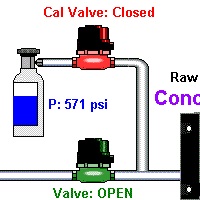
With DAQFactory you can create an unlimited number of screens, and can even overlay them or display popup windows to keep important information on top. There are 39 screen components that you can use to display your data in various formats, from a virtual instrument to an animated schematic of your process or experiment

As with any application, there has to be some simple components for displaying text or grouping other components onto panels. You can choose of course adjust the font, color, and size, and can even have DAQFactory perform actions when the user clicks on the text.


The variable value component is used to display numeric or string data. This can be simple values or the result of complex expressions. The text can be colored and sized based on other calculations, so you can have it display differently as the value changes.

The descriptive text component is very similar, but displays the results in text form. For example, Hi/Medium/Low, or On/Off. Again, the text can be colored and sized based on other calculations.

The symbol component allows you to place symbols either from the 3800 symbol library that comes with some versions of DAQFactory, or your own symbols. Symbols can be sized, rotated, and moved around the screen based on other calculations.

Four different types of LED components that display different colors depending on a value. A progress bar can be used to display progress, or as a gauge, both horizontal and vertical, or anything else you may come up with.

Four different types of gauges, linear, logrithmic, angular and log angular all allow you to display data that can be viewed at a glance. Lots of options are available to tweak the look including sections, different pointer types, max/min pointers, and more.

Buttons and switches galore. Even a switch that looks like a valve. More ways to allow for user input. The combo box and radio buttons are comman ways to offer the user a choice of options

For adjusting a variable output, nothing beats a knob or slider. Or use the windows standard scroll bar. Of course you could use any of these to adjust other things like graph scaling


All these components are modified using simply parameters windows. Throughout DAQFactory you can use expressions which can take a simple channel name or scalar, or a complex calculation. While entering in your expressions, a drop down menu will automatically appear displaying a list of channels, functions, and other expression parameters:


Graphing and Strip Charts


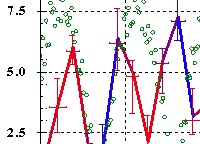
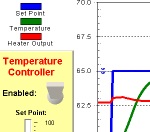
You can also place trend graphs on any of your screens along with the other components. These graphs can display Y vs Time trends, or X vs Y comparisons. You can create as many traces as you may need on up to 12 different Y axes:

Traces use expressions too, so there's no need to precalculate the values you would like to graph. If you want to plot Sin(PumpRotation^2)/PumpSpeed vs. Log(TankPressure) you simply enter these two expressions.

Graphs offer many features for displaying your data including error bars, axis, line and bound annotations, and colorization of a trace based on an expression. Graph markers can be used to identify points and quickly analyze peaks in your data. DAQFactory creates the graphs in a background process, so even the most complicated graphs won't make DAQFactory sluggish.


Control Sequences and PID Control


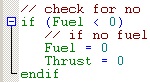
Sequences provide a simple way to automate your process. Sequences can be as simple as setting some initial outputs to full blown system automation. Some examples for uses for sequences are batches, system monitoring, performing a group of actions simultaneously or staggered, performing actions or reading data at unusual time intervals, or full blown system automation. Sequences offer all the features of a scripting language allowing you do to do pretty much anything you can dream up.

You can have as many sequences as you deem necessary. Multiple Sequences can be run concurrently, either triggered manually, or started by another sequence. This makes it very easy to separate out different tasks.

PID loops are the standard for controlling closed loop systems. Within DAQFactory you can create as many PID loops as you need to eliminate the need for hardware controllers, saving you lots of money. DAQFactory PID loops also offer autotuning to help you determine the best PID parameters for your system.


Alarms


DAQFactory alarming allows you to watch for different events that may occur with your system and flag them. This allows you to see if your system did something unusual while you were not watching. Unlike other SCADA software which only allows you to monitor for a single parameter going above or below one or two threshold points, DAQFactory allows you to create an alarm that watches for multiple conditions to occur. So where before you might only be able to alarm when the temperature of your system gets above 300°C, with DAQFactory you can alarm when the temperature gets above 300C and the pressure is above 100psi. And your conditions can be much more complicated than that even.

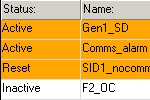
When the alarm does occur, the alarm is logged to disk and displayed in a table. The alarm remains displayed in the table until you acknowledge that you have seen the alarm. You can also have DAQFactory play a sound, email you, or perform any automated task when the alarm event occurs. You can have as many alarms as you need, and creating them is as simple as filling in a few parameters


Hardware Compatibilty


All versions of DAQFactory supports the following hardware devices;

  • LabJack USB Device - Communicates with LabJack USB data acquisition devices.

  • Smart A/D Boards - Communicates with all Smart A/D products
  • USB Digital I/O Units
  • Our whole range of Digital and Analogue PCI I/O Cards
  • The eDAM 8000 range of RS485 remote terminal units
  • OPC Device - Communicates with any OPC Server. OPC Servers are available for a wide range of devices from vendors and third parties.
  • Serial Device - Communicates with RS-232 devices, providing both input and output on as many as 20 serial ports. For more information, see the DaqFactory online help.
  • Measurement Computing / ComputerBoards / Omega Device - Communicates with all Measurement Computing hardware supported by the Universal Library. Provides hardware polled A to D, D to A, Dig In / Out and Counter support (in pulse count mode). Many of the Omega boards are also supported.
  • National Instruments Device - Communicates with all National Instruments NI-DAQ devices. It provides software polled A to D, D to A, Dig In / Out, and Counter support (in pulse count mode).
  • IOTech DAQBook Communicates with IOTech DAQBook devices. Supports multiple DAQBooks. Provides software polled A to D, D to A, Dig In / Out.
  • ACCES I/O DeviceCommunicates with PCI analog in and analog out devices. Contact us for support for other boards.
  • National Instruments 435x - Communicates with the National Instruments 435x series 24 bit loggers.

As an alternative to the more expensive OPC servers, DAQFactory now comes with a connectivity pack. The connectivity pack allows you to connect DAQFactory to various PLC's and other serial devices easily. The connectivity pack is included with DAQFactory Pro and Runtime, and is available as an option with the other versions of DAQFactory.

The connectivity pack current the supports the devices listed below. This is only the tip of the iceburg though and we'll be adding a lot more connectivity in the coming months. If you have need for connectivity to a particular type of PLC or other serial device, please contact us.

  • Modbus: This device allows DAQFactory to communicate with a wide range of devices that support the Modbus standard. Both Modbus ASCII and Modbus RTU are supported. In addition to the standard Modbus commands, many flexible options are available for pulling out unique data from unique devices.

  • Allen Bradley SLC-500: This device allows you to use full-duplex DF1 protocol (System point-to-point) to communicate with Allen-Bradley SLC-500 PLCs using any of the following adapters connected to the PC's RS-232 port:
    • Channel 0 located in the processor
    • 1747-KE (DH-485)
    • 1785-KE (Data Highway Plus)
    • 1770-KF2 (Data Highway Plus)
    • 1770-KF3 (DH-485)
    • 1771-KE/KF (Data Highway)
    • 1770-KF2 (Data Highway)
  • Telemecanique: This device allows you to connect to Telemecanique TSX Nano PLCs configured to use the Modbus RTU Protocol.
  • Modem dialer: This device will dial a modem and then return a comm port handle for use by other devices. This allows you to communicate with your serial devices over a modem.
  • Easy_IO - Communicates via MODBUS
  • VR-18 LCD CHart Recorder - Communicates via MODBUS
  • Tracker 331 and 332 Series of Temperature Controllers - Communicates via MODBUS


Versions, Prices and Ordering


Feature

Pro

Standard

Base

Lite

Acquisition and logging

Yes

Yes

Yes

Yes

Custom screens

Yes

Yes

Yes

Yes

Graphing / trending

Yes

Yes

Yes

Yes

Data analysis

Yes

Yes

Yes

Yes

Screen components

Yes

Yes

Yes

Yes

Sequences and automation

Yes

Yes

Yes

Yes

PID loops

Yes

Yes

Yes

No

Email

Yes

Yes

Yes

No

ODBC database logging

Yes

Yes

No

No

3,800 image library

Yes

Yes

No

No

Networking and web server

Yes

Yes

No

No

Advanced data analysis

Yes

Yes

No

No

Alarming

Yes

No

No

No

Connectivity pack

Yes

No

No

No

Maximum channels / tags

Unlimited

Unlimited

64

32

 
DAQFactory Pro -

DAQFactory Pro provides all the features of DAQFactory including alarming and even includes the connectivity pack which is optional on the other versions. Includes networking to allow you to monitor and control your process from anywhere, plus email and a web server. Unlimited number of channels/tags from any of our devices gives you the most flexibility in running your experiments. The built in 3800 image library allows you to draw your process to better display what is going on. ODBC support for direct to database logging. Also available bundled with your favorite OPC server.

DAQFactory Standard -

DAQFactory Standard provides all the features of DAQFactory Pro except alarming and the connectivity pack (which is still available as an option). If you do not need alarming, then DAQFactory Standard may be a better choice. Includes networking to allow you to monitor and control your process from anywhere, plus email and a web server. Unlimited number of channels/tags from any of our devices gives you the most flexibility in running your experiments. The built in 3800 image library allows you to draw your process to better display what is going on. ODBC support for direct to database logging. Also available bundled with your favorite OPC server.

DAQFactory Base -

DAQFactory Base is for those that don't need networking, ODBC logging, advanced analysis functions, or the image library, and don't need more than 64 channels/tags, but still want to be able to take data, automate their system and display their data on an unlimited number of screens using all the DAQFactory screen components. This version is a good halfway point between the Lite and Standard versions.

DAQFactory Lite -

DAQFactory Lite is the perfect low cost data acquisition system, providing data acquisition and automation with custom screens from 39 different screen components. It does not include some of the more advanced features like alarming, PID loops, ODBC logging, networking, or the image library, but you can still add the connectivity pack for £49.

Connectivity Pack -

The connectivity pack provides native support for many PLCs and other devices. Currently, the connectivity pack adds support for Modbus, Allen Bradley SLC-500's, and Telemecanique TSX Nano systems. The connectivity pack is included with DAQFactory Pro, or as an option on any other version of DAQFactory. If you need support for a different PLC, RTU or other serial device and would like it added to the connectivity pack for use in DAQFactory, please contact us and we will look into adding it for you. We will be constantly adding more devices to this library as well.

DAQFactory Runtime -

The runtime version of DAQFactory uses the documents created in any of the other regular versions of DAQFactory, but doesn't allow you to add or edit channel parameters, sequences, or edit or create new pages. Use this in systems when you don't want the user to mess things up. DAQFactory runtime includes the connectivity pack.

DAQFactory USB MARX Key -

The optional hardware key allows you to easily move your licence from computer to computer. This is especially useful when using runtime licences. If you have a system running under a DAQFactory-Runtime license you can insert the hardware key and switch to development mode without stopping your application. You can then make changes live, again without stopping your application, and when you are done you simply pull the key and the system reverts to runtime mode.

DAQFactory Lite -> DAQFactory Base Upgrade -

DAQFactory Lite -> DAQFactory Standard Upgrade -

DAQFactory Lite -> DAQFactory Pro Upgrade -

DAQFactory Base -> DAQFactory Standard Upgrade -

DAQFactory Base -> DAQFactory Pro Upgrade -

DAQFactory Standard -> DAQFactory pro Upgrade -


System Properties


DAQFactory

Any computer capable of running Windows 98 or newer. We suggest at least a Pentium 90, and preferably much more. The program is designed to be responsive even under processor strain, however, the refresh rate of graphs and images will be greatly reduced on slower processors.

  • 30 Meg of free hard disk space.

  • Enough memory to run the operating system plus a minimum of 8 meg on top of that. Generally, the more you have, the more you will be able to take advantage of DAQFactory's capabilities. The exact memory requirements depend on the screen resolution. DAQFactory uses a triple background painting algorithm to make it very responsive even when drawing large graphs or images. This requires three copies of the screen to be kept in memory. This means that if you are running DAQFactory in 1024x768 resolution with 32 bit color you will need at least 12 meg of extra memory just for these screen buffers. If you are running DAQFactory at 1600x1200 with 32 bit color, the memory requirements for these buffers jumps up to 32 meg. In addition to this, DAQFactory keeps the history of your data in memory for quick, real-time calculations. Each data point in memory uses 16 bytes. To remember an hours worth of data on a single channel, read at 1 second intervals you will need 60K.
  • Video capable of 800x600 resolution. 1024 x 768 is strongly suggested. If DAQFactory is only going to be used as an HMI, it is possible to setup the DAQFactory screens on one computer and transfer the file to another computer that may not be able to achieve 800 x 600. In this case, DAQFactory will operate at almost any resolution. We suggest DAQFactory Runtime for this application.
  • Windows 98 or newer. SP6 or higher if you are running NT. You cannot run the program on Windows 95, NT 3.51, CE, or any other lesser version of Windows.
  • Internet Explorer version 4 or greater must be installed for the follow-me help system.

DAQFactory Runtime

The runtime version of DAQFactory requires less disk space because it doesn't include the image library. It also requires less memory because you can only do limited data analysis with it. It will run at any screen resolution, provided the DAQFactory document is designed for the new screen size. The operating system requirements remain the same.

We strongly suggest running DAQFactory on Windows NT 4.0, 2000 Pro, or XP, as these are much more reliable operating systems


Phone +44(0)115 925 8412 | Fax +44(0)115 925 9757